Finding Animations
lottie-web-vue plays any animation in the Lottie JSON format — the format produced by exporting an Adobe After Effects composition with the Bodymovin plugin.
LottieFiles
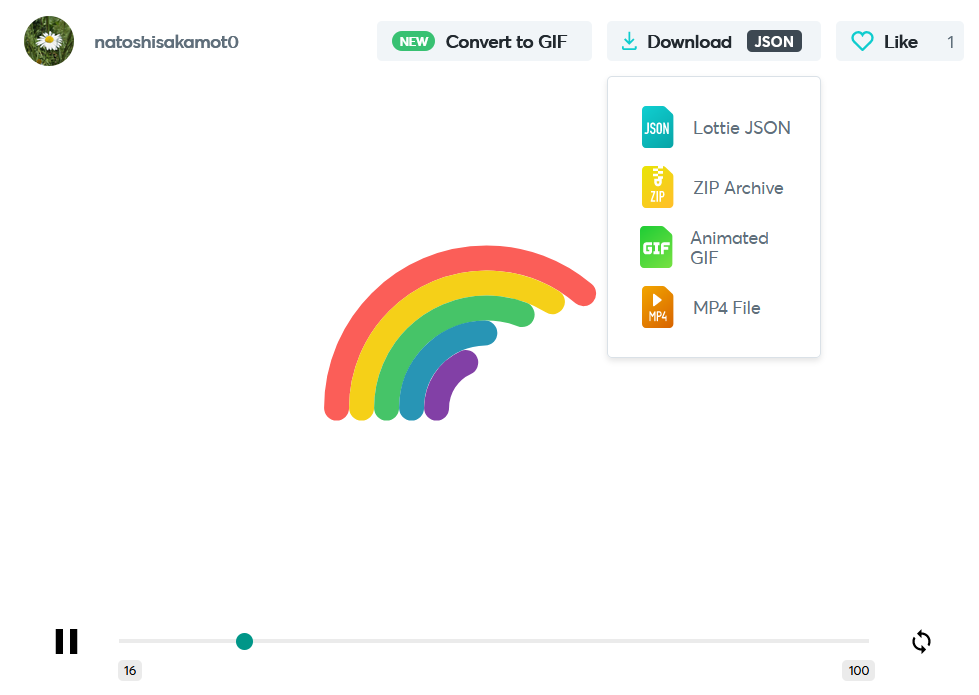
The easiest source is LottieFiles, a large library of free and paid animations. Find an animation you like, sign up, choose Download → Lottie JSON, and save the file into your project.
Loading the JSON in Vue
Save the file under src/assets/ and import it — Vite and webpack both resolve .json imports natively:
<script setup lang="ts">
import { LottieAnimation } from "lottie-web-vue"
import RainbowJSON from "@/assets/stagger-rainbow.json"
</script>

<template>
  <LottieAnimation :animation-data="RainbowJSON" :loop="true" />
</template>
The JSON is cloned before playback
The component deep-clones animationData (via JSON.parse(JSON.stringify(...))) before handing it to lottie-web, so lottie-web's internal mutations never touch your imported module. You can safely pass the same imported JSON to multiple <LottieAnimation> instances.
Exporting your own
If you design in After Effects, install Bodymovin from aescripts.com (or via the Creative Cloud marketplace), then render your composition with Extension → Bodymovin → Render to produce the .json file.
Renderer
lottie-web-vue uses lottie-web's SVG renderer. SVG gives crisp scaling at any size and broad feature support; animations relying on canvas- or html-renderer-specific features are not supported.